B2B SaaS CRM: The Six-Tool Verdict for Lead Management

By Brian Shelton — Founder of GrowPredictably.com
TL;DR: A B2B SaaS CRM has one job a generic CRM does not: seeing the subscription lifecycle. In B2B SaaS the sale is where revenue starts, and the profit lives in renewal and expansion. This guide judges six re-verified CRMs on the four criteria that actually differ for B2B SaaS and names the buyer each one fits, including the one you should no longer buy at all.
Key Takeaways
- The four criteria that matter are SaaS-specific. Product-usage and billing integration, subscription lifecycle management, customer health monitoring, and scalability without re-platforming. Every CRM has contacts, deals, and email sync. Judge on what differs.
- One of the six is being retired. Zendesk announced in September 2025 that Sell shuts down on August 31, 2027, with data deleted after. Do not adopt it, and migrate off it if you are on it. No affiliate roundup will tell you this.
- Verdicts, with the buyer named. Pipedrive for sales-led simplicity, HubSpot for the marketing-plus-sales stack, Zoho for budget-constrained breadth, Freshsales for AI features at the lowest entry price, SugarCRM for process-heavy mid-market teams.
- The real fork is horizontal versus SaaS-native. A general CRM plus integrations, or a tool built around subscription data. Your sales motion decides, and the roundups never raise the question.
- Pricing is verified as of August 2026, with dates stated. Undated pricing in a CRM roundup is a coin flip. Every figure here names its billing basis.
Most B2B SaaS teams shop for a CRM the same way: someone opens a “12 best CRMs” roundup, someone else quotes a Reddit thread, and the loudest tool brand wins. The result shows up two quarters later as leads leaking between trial and close, renewals that surprise the team, and revenue data living in a different tool than the pipeline.
The roundups never prevent it, because they judge CRMs on features every CRM has. The evaluation that works judges on the four criteria that are actually different for a subscription business, and it starts by admitting what the tools cost and which of them you should not buy at all.
Why does a B2B SaaS company need a different CRM?
Because the revenue model is different. In most industries the sale ends the transaction, but in B2B SaaS the sale opens a subscription, and most of a customer’s lifetime value arrives after the close. A CRM built for one-time deals treats “closed won” as the finish line, which is exactly backwards for a subscription business.
The market has scaled around this reality. Mordor Intelligence sizes the B2B SaaS market at roughly $390 billion in 2025, on a path toward $1.58 trillion by 2031. Competition at that scale punishes leaky lead management fast: a trial user who gets no follow-up, a renewal nobody saw coming, an expansion signal sitting unread in product analytics.
Spreadsheets and generic CRM setups fail in the same place. They can hold contacts and deals. They cannot see a trial start, a usage spike, a failed payment, or a champion going quiet, and those events are where SaaS revenue is won or lost.
What should a B2B SaaS CRM actually do?
Judge any CRM, on this list or off it, against four criteria: product-usage and billing integration, subscription lifecycle management, customer health monitoring, and scalability without re-platforming.
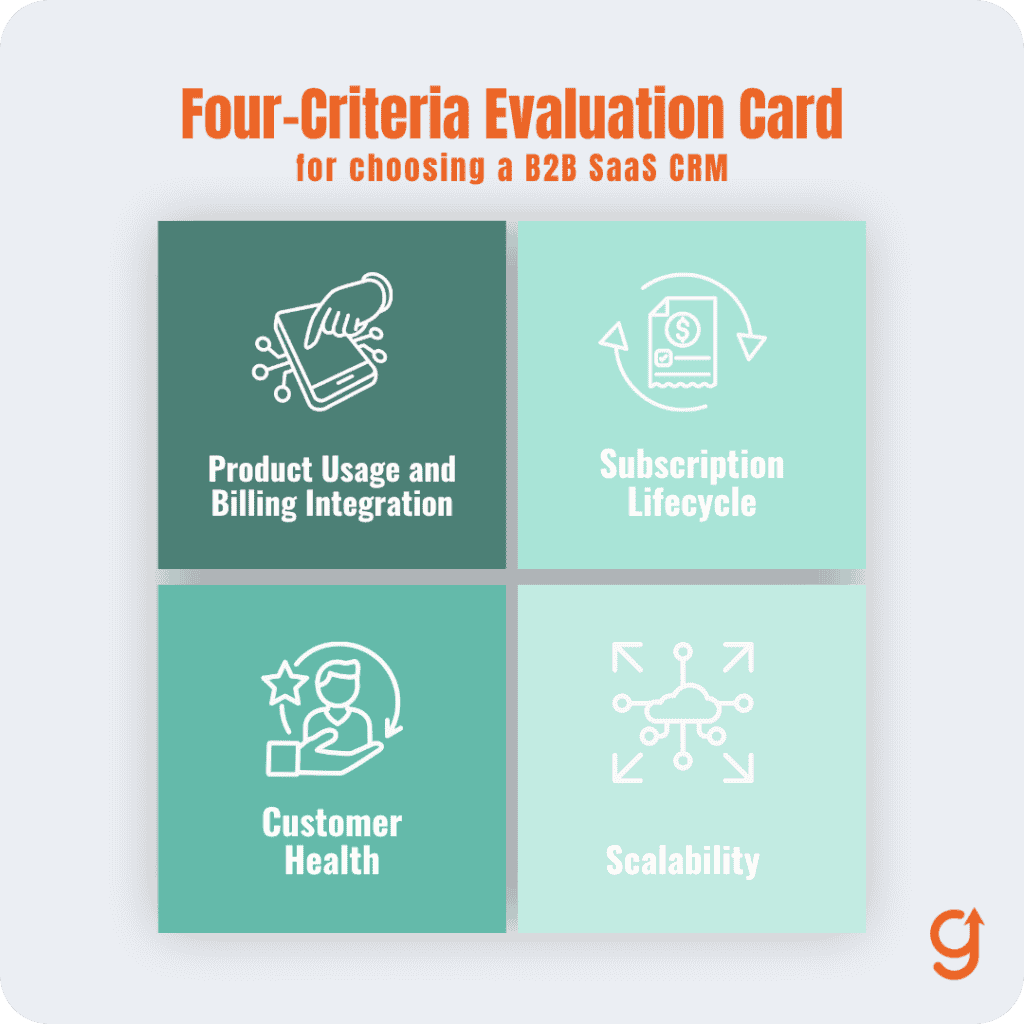
These are the capabilities that separate a CRM that can see subscription revenue from one that only sees deals, and each is stated below as the failure you see without it.
- Product-usage and billing integration. Without it, your reps call trial users blind and your pipeline ignores the strongest buying signal you own: what the prospect actually did in the product. The CRM must ingest usage events and billing status, natively or through a supported integration.
- Subscription lifecycle management. Without it, “closed won” is a dead end and renewals live in a spreadsheet. The CRM must model trials, renewals, upgrades, downgrades, and cancellations as first-class stages.
- Customer health monitoring. Without it, churn is a surprise and expansion is an accident. As ProductLed’s State of B2B SaaS 2025 report documents, the KPI that dominates at scale is net revenue retention, and a CRM that cannot flag at-risk and expansion-ready accounts cannot serve it. David Skok, the serial entrepreneur turned VC at Matrix Partners, puts the stake plainly:
Negative dollar churn is critical for SaaS success.
David Skok, Matrix Partners, at SaaStock NYC
- Scalability without re-platforming. Without it, you buy a second CRM in 18 months and pay for the migration twice. Custom objects, API depth, and permissioning need headroom beyond your current team size.
Benchmarks make the stakes concrete: Benchmarkit’s 2025 research, drawn from 323 B2B technology companies, is the reference set worth checking your conversion and pipeline numbers against once the CRM starts reporting them.
Which CRM is best for your B2B SaaS?
Six tools, judged on the four criteria. Pricing is per user per month, billed annually, verified August 2026 against vendor and independent pricing pages. Re-check before you sign, and treat any undated price you read elsewhere as expired.
The verdicts below name the buyer each tool fits, and the one tool no B2B SaaS team should adopt at all.
Pipedrive
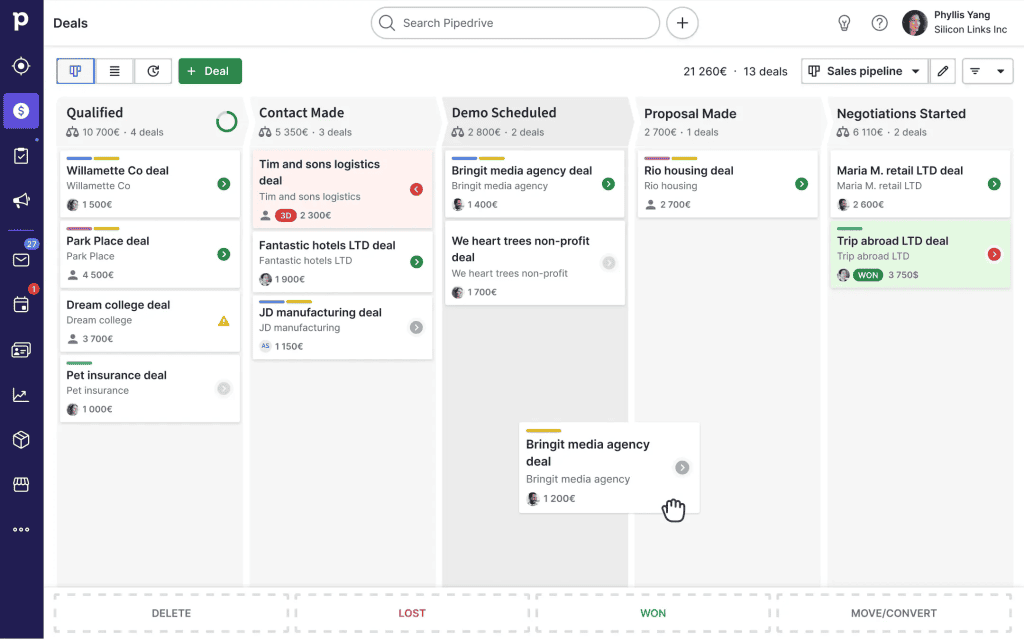
Pipedrive is the pipeline-first CRM: visual deal stages, activity-based selling, and the shortest learning curve on this list. In 2025 it renamed its plans, and the current lineup runs Lite at $14, Growth at $24, Premium at $49, and Ultimate at $69. It wins on adoption speed and clean pipeline discipline. Against the four criteria: usage and billing integration comes through the marketplace rather than natively, and subscription stages are custom fields you configure.
Health monitoring is basic. Scalability is honest at small-team size but thins past mid-market. In short, it loses on native subscription visibility, so you will connect billing and usage data through integrations and accept that the lifecycle lives one layer away from the deals. Notably, Zendesk chose Pipedrive as its official migration partner for retiring Sell customers.
Best for: a sales-led team under about 25 seats that wants reps actually using the CRM within a week.
HubSpot CRM
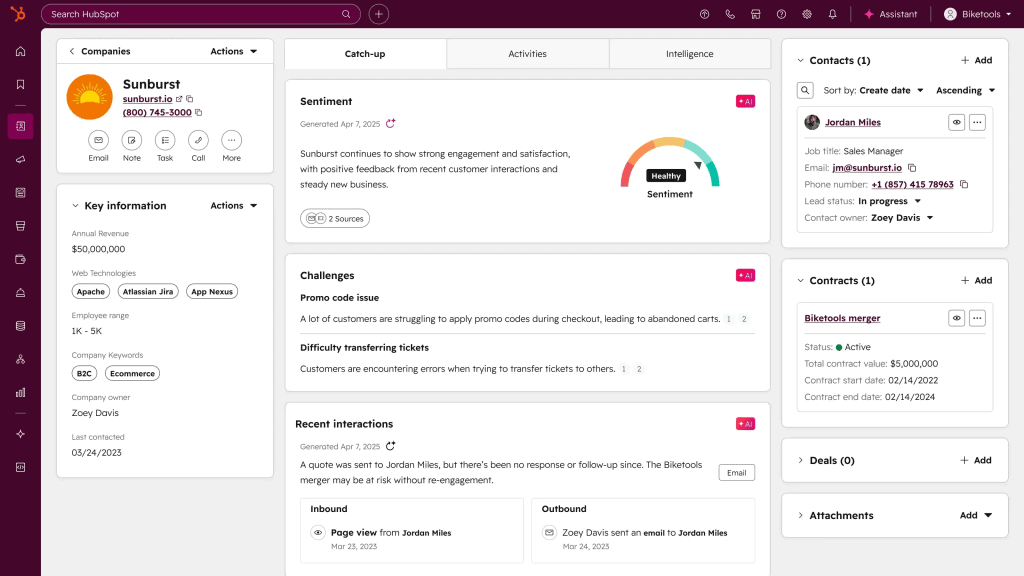
HubSpot’s free CRM base plus Sales Hub (Starter at $20 per seat, Professional at $100 per seat) is the strongest choice when marketing and sales need one system of record. It wins on the marketing-to-sales handoff, reporting, and ecosystem depth.
Against the four criteria: integration coverage is the best of the horizontal tools, with billing, product analytics, and data warehouse connectors all first-party or mature. Lifecycle stages are workable through deal pipelines plus custom objects.
Health scoring arrives at the Professional tier. Scalability is genuine, which is precisely why the bill scales too. It loses on cost trajectory: the per-seat price climbs steeply as you add hubs and tiers, which is where the four criteria matter more than the brand.
Best for: a team running content and inbound motions that wants lead capture, nurture, and pipeline in one place, with budget headroom for growth.
Zoho CRM
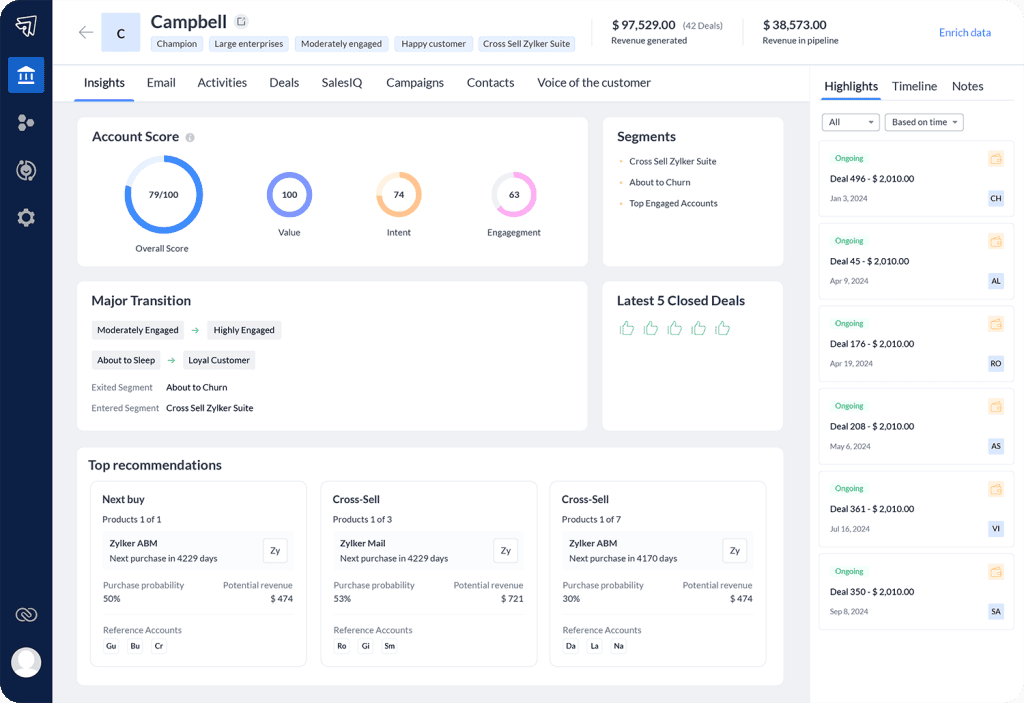
Zoho is the value play: free for up to three users, then Standard at $14, Professional at $23, Enterprise at $40, and Ultimate at $52. It wins on breadth per dollar, workflow automation, and the surrounding Zoho suite. Against the four criteria: integrations exist for the major billing systems but need more assembly than HubSpot’s. Lifecycle modeling is achievable through Blueprint process automation if someone owns the setup.
Health monitoring is scoring rules you build rather than buy. Scalability per dollar is the best on this list. It loses on polish and on SaaS-native depth, so subscription lifecycle work leans on configuration, and the tool rewards exactly the team willing to do it.
Best for: a budget-constrained team that wants the most configurable CRM per dollar and will invest setup time to get it.
Freshsales (Freshworks)
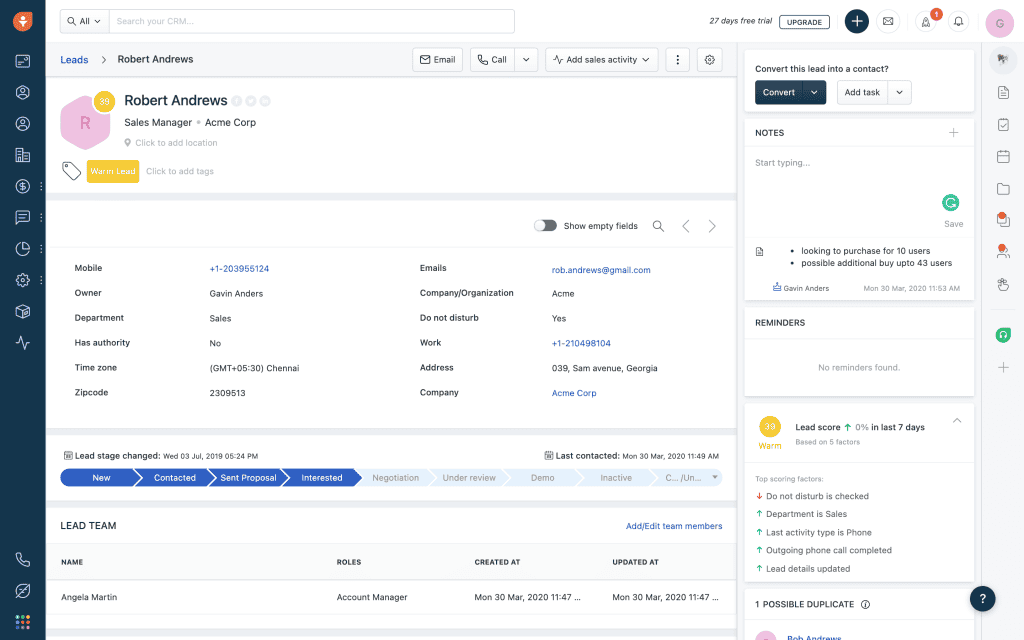
Freshsales runs Growth at $9, Pro at $39, and Enterprise at $59, the lowest paid entry point on this list, with AI scoring and assistant features included earlier than most competitors price them. It wins on entry cost and built-in AI lead scoring. Against the four criteria: Freddy AI scoring gives it the strongest out-of-the-box health signal at its price. Usage and billing integration runs through the Freshworks marketplace with thinner coverage than HubSpot’s.
Lifecycle stages are configurable pipelines. Scalability is adequate through mid-market before enterprise needs push you up-tier. It loses on ecosystem depth compared with HubSpot and on the same SaaS-native gap as the other horizontal tools.
Best for: an early-stage team that wants AI-assisted lead scoring without a platform-sized bill.
Zendesk Sell
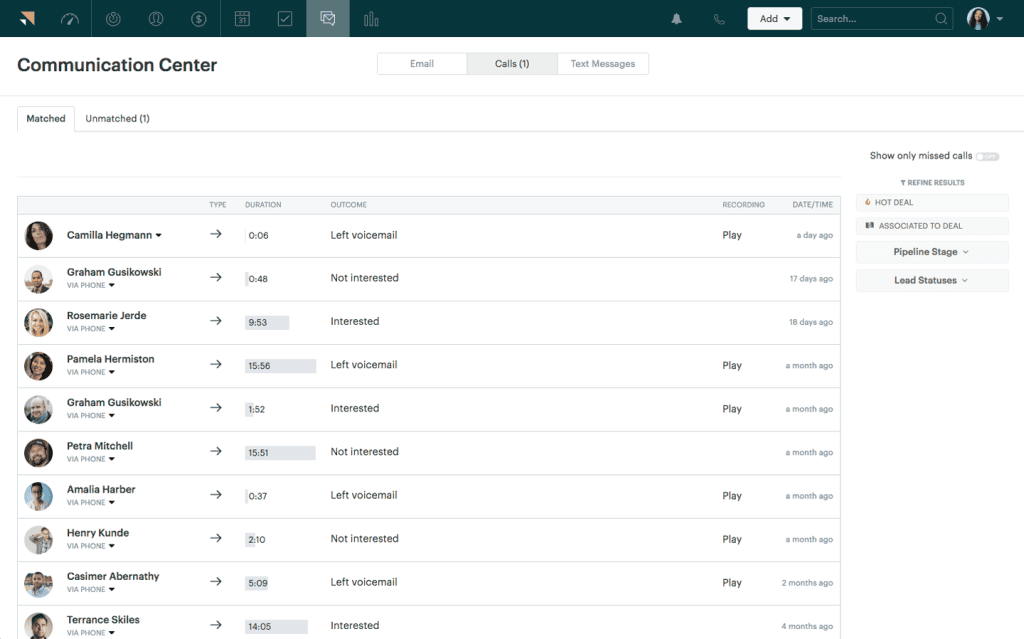
The verdict here is simple: do not adopt it. Zendesk announced the retirement of Sell with a shutdown date of August 31, 2027, after which Sell data is deleted under its data deletion policy. If you are on Sell today, your CRM project is a migration project with a deadline, and Zendesk’s official path is Pipedrive’s migration tooling.
A roundup that still lists Sell as a live option has not been re-verified.
Best for: nobody, as a new purchase. Existing users: plan the migration this quarter, not next year.
SugarCRM (now SugarAI)
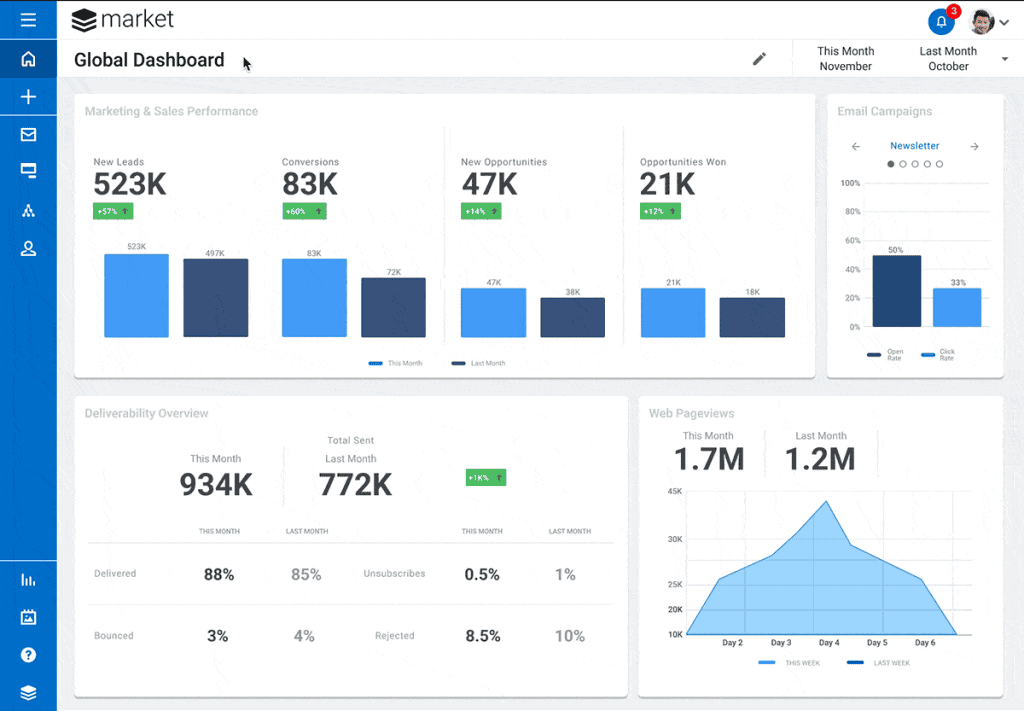
SugarCRM rebranded to SugarAI, and its published pricing moved upmarket: Standard at $59, Advanced at $85, and Premier at $135 per user, billed annually, with a 15-user minimum. That floor, roughly $885 a month at entry, makes it a deliberate mid-market commitment. It wins on customization depth and the process control that ops teams want.
Against the four criteria: integration is strong where an ops team builds it and weak out of the box. Lifecycle modeling is the most controllable on this list because the platform assumes you will define your own process. Health monitoring depends on that same configuration investment.
Scalability is enterprise-grade. It loses on entry cost and setup weight for a small team, and its AI features trail the category.
Best for: a mid-market team with an ops owner who will actually use the process control, not a five-person startup.
Horizontal CRM or SaaS-native stack?
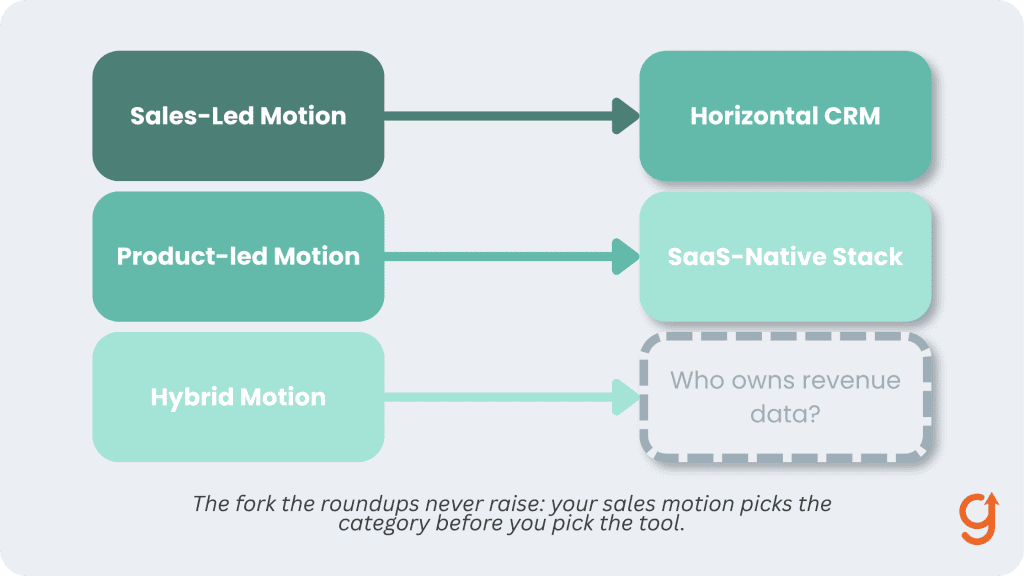
Every tool above is a horizontal CRM, and for many teams that is the wrong default. The alternative category is the SaaS-native stack: tools such as ChartMogul’s CRM that are built around subscription data, where the customer record is the subscription, and trials, renewals, and expansion are the native objects rather than bolted-on custom fields.
The decision rule fits on an index card:
- Sales-led motion, deals won by reps in conversations: pick a horizontal CRM from the list above and integrate billing and usage data into it. The rep workflow is the constraint, and horizontal tools serve it best.
- Product-led motion, self-serve signups, trials, and upgrades: a SaaS-native tool deserves the shortlist, because the subscription lifecycle is the workflow, and forcing it into deal stages built for one-time sales is permanent friction.
- Hybrid motion: the deciding question is who owns revenue data. If RevOps lives in the CRM, go horizontal with deep billing integration. If revenue truth lives in the billing system, go SaaS-native and give reps a lighter surface.
The failure pattern this fork prevents is the one that generates most CRM regret: a product-led team buys the famous horizontal CRM, spends two quarters wiring subscription events into custom objects, and ends up with a system nobody trusts because the billing data and the CRM never quite agree.
The recovery is expensive precisely because it is a re-platform, which is why the fork belongs at the start of the evaluation, not the end.
How do you choose without a six-month evaluation?
You choose by running a four-step sequence with one owner and a two-week clock: name your sales motion, weight the four criteria for your business, shortlist two tools from the verdicts above, and trial them with real pipeline data. The sequence eliminates most of the market before you ever sit through a demo:
- Name your motion. Sales-led, product-led, or hybrid. This resolves the fork above and eliminates half the market.
- Weight the four criteria. Score each 1 to 3 for your business. A product-led team weights usage integration highest. A 40-rep team weights scalability.
- Shortlist two. From the verdicts above, take the best-for line that matches your situation, plus one challenger.
- Trial with real pipeline data. Import 50 real leads, connect lead enrichment, and run two weeks of actual selling. A CRM demo with fake data tells you nothing. The trap to avoid is choosing the biggest brand for safety and bolting subscription tracking on later with spreadsheets and glue. That is how teams end up owning two systems of record and trusting neither.
How do you implement a CRM without stalling the pipeline?
Keep the migration boring and the adoption mandatory: essential fields only, real reps in the trial, and follow-up automation connected in the first week. Most CRM implementations stall by recreating every legacy spreadsheet column, and most of those fields exist because nobody ever deleted them, so treat the migration as a cleanup, not a copy.
Connect lead follow-up automation early, because automated next-step discipline is the single behavior that makes the CRM worth its seat price. Put usage and billing integration on the 30-day plan, not the someday list, since the four criteria only pay off once the data flows. And fold the CRM into your broader AI and automation stack for B2B SaaS marketing so lead scoring and routing improve as volume grows instead of decaying.
Where should a B2B SaaS team start?
Start by naming your motion, then run the four-step sequence above against the verdicts. If you are on Zendesk Sell, your first move is the migration plan, today. If your pipeline still lives in spreadsheets, pick the verdict that matches your stage and run the two-week trial with real leads.
And if the honest answer is that you are not sure lead management is even your binding constraint, diagnose before you buy anything: take the Growth Gap Scan. It locates the stage of your customer journey that is actually capping growth, so the next tool you buy treats the constraint instead of the noise.
Frequently Asked Questions
What is the best CRM for B2B SaaS?
There is no single best, only a best fit per motion and stage. Pipedrive fits sales-led teams under about 25 seats, HubSpot fits teams unifying marketing and sales, Zoho fits budget-constrained teams willing to configure, Freshsales fits early teams wanting AI scoring cheaply, and SugarCRM fits process-heavy mid-market ops. Product-led teams should also shortlist a SaaS-native tool built around subscription data.
What is the difference between a SaaS CRM and a regular CRM?
A regular CRM treats the closed deal as the end of the process. A SaaS-oriented CRM models the subscription lifecycle: trials, renewals, upgrades, downgrades, and cancellations as first-class stages, with product usage and billing data feeding customer health. In a subscription business most lifetime value arrives after the close, so that difference decides whether the CRM can see your actual revenue.
Is HubSpot good for B2B SaaS?
Yes, with a caveat. HubSpot has the strongest integration coverage of the horizontal CRMs and genuine scalability, which makes it the default when marketing and sales need one system. The caveat is cost trajectory: per-seat prices climb steeply across tiers and hubs. Run the four-criteria evaluation before assuming the famous brand is the right fit.
When should a SaaS startup get a CRM?
When follow-up starts slipping, which is usually earlier than founders expect. The practical trigger is the first month you lose a warm lead because nobody owned the next step. Zoho’s free tier and low-cost entry plans from Pipedrive and Freshsales mean cost is no longer a reason to stay in spreadsheets past that point.
Can a B2B SaaS company just use a spreadsheet for lead management?
For the first handful of customers, yes. A spreadsheet fails the moment revenue depends on events it cannot see: a trial starting, usage spiking, a payment failing, a champion going quiet. Those subscription signals are where SaaS deals are won and lost, and no spreadsheet ingests them.
What does a CRM cost for a small B2B SaaS team?
As of August 2026, entry plans run $9 to $20 per user per month billed annually (Freshsales Growth at $9, Zoho Standard and Pipedrive Lite at $14, HubSpot Sales Starter at $20), with free tiers from HubSpot and Zoho for very small teams. Mid tiers run $23 to $49. Always re-verify against the vendor’s pricing page, since plan names and prices changed at several vendors within the last year.